
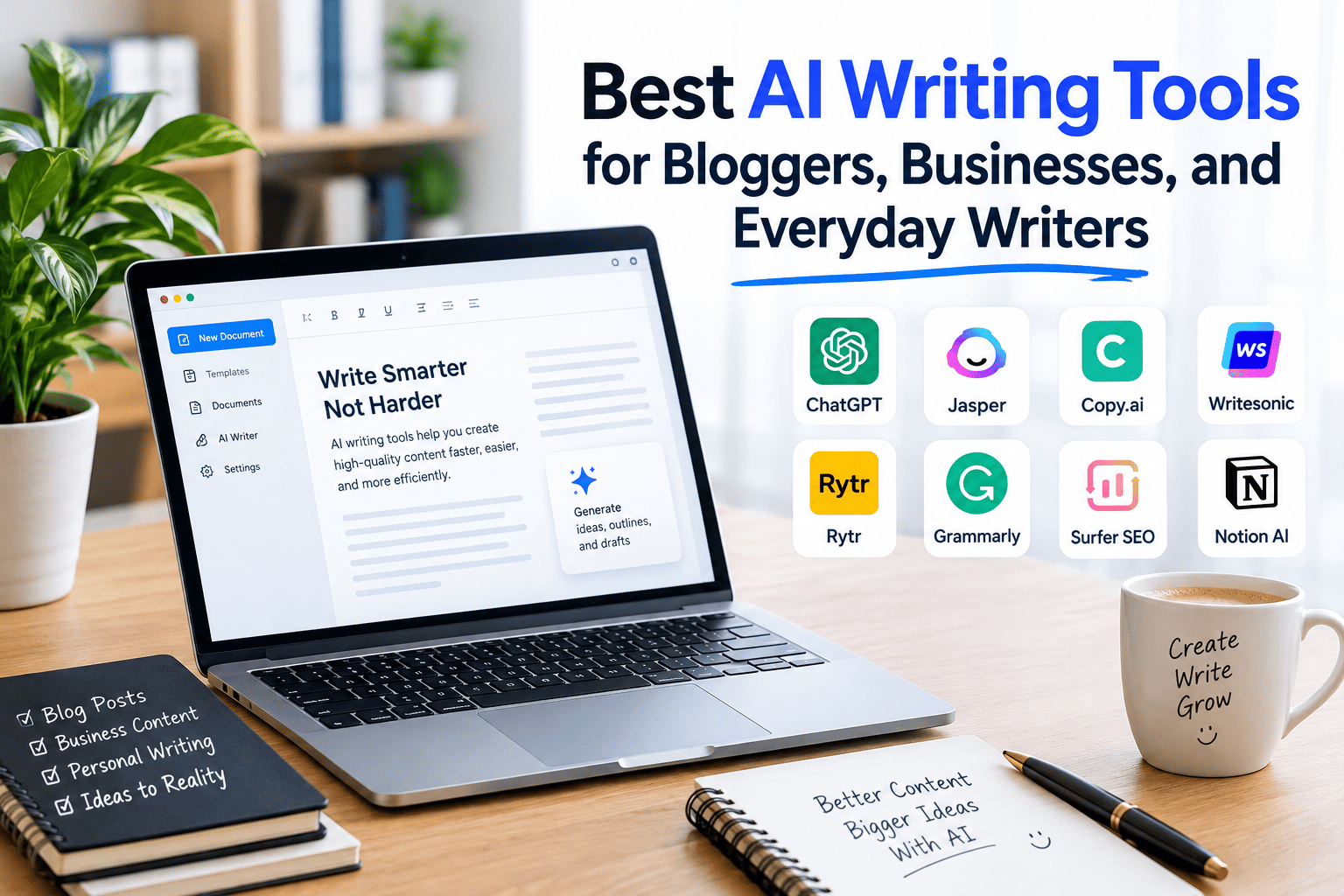
The best AI writing tools depend on what you need to create. ChatGPT and Claude are versatile choices for brainstorming, drafting, and revising content. Grammarly and QuillBot help improve clarity, grammar, and wording, while Jasper and Writesonic focus more on marketing and content workflows. Before choosing a tool, compare writing quality, editing controls, research capabilities, privacy, pricing, and the amount of manual review required.
Introduction
Writing is an essential part of running a website, promoting a business, communicating with customers, and sharing ideas online. However, creating clear, original, and engaging content takes time. Bloggers need article outlines, businesses need professional emails and marketing copy, and everyday users often need help rewriting messages or organizing their thoughts.
Artificial intelligence has made many of these tasks easier. Modern writing assistants can help generate ideas, prepare first drafts, summarize information, improve sentence structure, and adapt content to different audiences. Some platforms specialize in editing, while others offer broader writing and research capabilities.
Choosing the right platform requires more than looking at a list of popular names. The best option is the one that fits your workflow, produces useful results, respects your privacy, and offers enough value for its cost.
What Are AI Writing Tools?
AI writing tools are software applications that use artificial intelligence to assist with creating, editing, organizing, or improving written material. Depending on the platform, they can help with blog posts, product descriptions, advertisements, reports, social media captions, emails, summaries, and creative writing.
Some tools generate text from a prompt, while others focus on improving content that already exists. More advanced platforms may offer document analysis, source-based research, brand voice controls, collaboration, or integrations with publishing systems.
These tools are assistants rather than automatic replacements for writers. They can produce a useful starting point, but their output may contain inaccurate facts, repetitive language, weak reasoning, or statements that require verification.
The Best AI Writing Tools to Consider in 2026
The following options serve different writing needs. This is a practical shortlist organized by use case, not a claim that every platform has been independently tested or that one product is universally the best.
1. ChatGPT — Best for General-Purpose Writing
ChatGPT is a flexible option for people who need help with multiple types of writing. It can assist with article outlines, first drafts, explanations, brainstorming, email writing, rewriting, and adapting content for different audiences.
Bloggers can use it to develop article structures and explore angles for a topic. Businesses can use it to draft customer communications, product descriptions, internal documents, and marketing ideas. Everyday users can ask it to simplify complicated language or make a message sound more professional.
Best for: Writers who want one assistant for a wide range of tasks.
Potential limitation: Generated facts, quotations, statistics, and references need verification. Broad prompts can also produce generic writing, so clear instructions and human editing are important.
2. Claude — Best for Long-Form Drafting and Revision
Claude is another general-purpose assistant worth considering for detailed writing, document analysis, brainstorming, and revision. It can help organize complicated material, improve transitions, examine a draft for inconsistencies, and suggest ways to make explanations clearer.
For bloggers, it can help turn research notes into a structured article. Business users may find it useful for preparing reports, proposals, and longer documents. Its usefulness depends on the selected model, available features, document length, and the quality of the supplied instructions.
Best for: Writers working on detailed documents and substantial revisions.
Potential limitation: It can still misunderstand source material or produce unsupported claims. Always check important details against reliable evidence.
3. Grammarly — Best for Grammar and Clarity
Grammarly is particularly relevant when you already have a draft and want to improve it. Its writing assistance can help identify grammatical issues, spelling mistakes, awkward wording, and opportunities to improve clarity or tone.
Professionals can use it to polish emails, reports, proposals, and presentations. Bloggers can use it during proofreading, while students and everyday writers may benefit from clearer sentence construction.
Best for: Editing and polishing existing text.
Potential limitation: Correct grammar does not automatically make an article original, persuasive, accurate, or useful. Editorial judgment remains necessary.
4. QuillBot — Best for Rewriting and Summarization
QuillBot offers writing assistance for paraphrasing, summarizing, and improving the wording of existing material. It may be useful when a sentence is difficult to understand or a paragraph needs a clearer structure.
For example, a business owner might simplify a complicated explanation for customers. A blogger could use summarization to organize personal research notes before writing an original article.
Best for: Rewording, summarization, and language improvement.
Potential limitation: Paraphrasing does not make copied ideas original or remove the need for attribution. Review rewritten passages carefully to preserve their intended meaning.
5. Jasper — Best for Marketing Teams
Jasper is designed around marketing and business content workflows. Depending on its current plan and features, it can support campaign development, brand-consistent messaging, and the creation of different content formats.
Marketing teams may use it to coordinate messaging across advertisements, landing pages, product descriptions, and campaigns. Businesses with established style guidelines may benefit from tools that help maintain a consistent brand voice.
Best for: Marketing departments and businesses producing content at scale.
Potential limitation: Its value depends on how frequently the team uses its marketing features. Solo bloggers with occasional writing needs may prefer a more general-purpose assistant.
6. Writesonic — Best for SEO-Oriented Content Workflows
Writesonic is worth evaluating for marketers and website owners who want writing assistance connected to search-focused content workflows. Depending on the current offering, relevant capabilities may include content generation, optimization, and tools related to online visibility.
A content team could use such a platform to organize topic ideas, prepare drafts, and support its publishing process. However, SEO performance still depends on satisfying search intent, providing accurate information, building a useful website, and creating content that offers something valuable to readers.
Best for: Website owners and marketers seeking an SEO-focused content workflow.
Potential limitation: Automated optimization cannot guarantee rankings. Check the current plan details and verify whether the specific research and optimization features you need are included.
7. Google Gemini — Best for Google-Centered Workflows
Google Gemini can help with brainstorming, drafting, summarizing, and revising content. Depending on account eligibility and available integrations, it may also fit workflows involving other Google services.
For example, a small business owner might use an AI assistant to develop email drafts, organize ideas, or prepare a first version of a business document. Bloggers can use it to explore different approaches to a topic before developing an original article.
Best for: People who want an AI assistant that fits their existing Google-centered workflow.
Potential limitation: Available integrations, usage limits, and subscription benefits can differ by account, region, and plan. Verify these details before relying on a particular feature.
8. Rytr — Best for Short-Form Content on a Budget
Rytr is an option to investigate if you primarily create shorter pieces of text, such as social media captions, product descriptions, email drafts, or brief marketing messages.
A freelancer might use it to create several initial versions of a promotional message and then edit the strongest one. Small businesses may find short-form writing assistance useful when they do not need an extensive content management system.
Best for: Freelancers and small businesses producing short-form copy.
Potential limitation: Evaluate the quality of longer drafts, available editing controls, and usage limits before selecting it for a large publishing project.
9. Wordtune — Best for Rephrasing and Tone
Wordtune focuses on helping users express ideas more clearly through rewriting and related writing assistance. It can be useful when you want to make a sentence more concise, adjust its tone, or explore alternative ways to communicate the same point.
Professionals can use it to refine emails and reports. Bloggers can use rewriting suggestions during editing, provided they preserve their own voice and check the accuracy of the revised text.
Best for: Improving sentence flow and exploring alternative wording.
Potential limitation: Rewriting suggestions may change the emphasis or nuance of the original sentence. Compare revisions with your intended meaning before accepting them.
10. Notion AI — Best for Notes and Team Documentation
Notion AI is worth considering for people who already organize projects, notes, and documents in Notion. Depending on the available plan, its AI features can support drafting, summarization, organization, and work within a shared knowledge environment.
Teams may use it to turn meeting notes into action items, summarize project documents, or prepare an initial version of internal guidance. Bloggers can also use a structured workspace to manage research notes and article planning.
Best for: Teams and individuals who already use Notion for organizing their work.
Potential limitation: Its usefulness depends on your existing workflow and the AI features available in your subscription. It may be less attractive if you prefer a dedicated writing editor.
AI Writing Tools Compared at a Glance
The table below summarizes the primary use cases of these platforms. It is a qualitative guide rather than a benchmark based on identical hands-on tests.
| Tool | Main use | Suitable audience | What to evaluate |
| ChatGPT | General writing and brainstorming | Bloggers, businesses, individuals | Research accuracy and output quality |
| Claude | Long-form drafting and revision | Writers and professionals | Document handling and writing consistency |
| Grammarly | Grammar and clarity | Professionals and students | Editing features and tone controls |
| QuillBot | Rewriting and summarization | Students, bloggers, professionals | Meaning preservation and usage limits |
| Jasper | Marketing content workflows | Marketing teams | Brand controls and collaboration |
| Writesonic | SEO-oriented content workflows | Marketers and website owners | Research and optimization features |
| Google Gemini | General writing and Google-centered tasks | Individuals and businesses | Available integrations and plan limits |
| Rytr | Short-form copy | Freelancers and small businesses | Output quality and affordability |
| Wordtune | Rephrasing and tone adjustment | Everyday and professional writers | Clarity and revision controls |
| Notion AI | Notes and documentation | Teams and Notion users | Workspace integration and access |
How to Choose the Right Writing Assistant
Start With Your Main Writing Task
Identify the type of content you create most often. If you regularly write long articles, prioritize drafting, document handling, research support, and revision. If you mainly send emails, focus on tone, grammar, and convenience. Marketing teams should look more closely at brand consistency, collaboration, and campaign workflows.
A tool with many features is not automatically the right choice. The goal is to solve your most frequent writing problem with as little unnecessary work as possible.
Check Free Access Before Paying
Many platforms offer some form of free access, but that does not mean every feature is free or that usage is unlimited. Some restrict the number of requests, available models, document length, or advanced editing capabilities.
Test the free version with a realistic task before subscribing. Compare the limits against your actual workload and check whether the paid plan offers enough additional value to justify the cost.
Test Writing Quality With the Same Prompt
A useful comparison involves giving two or three tools the same writing assignment. For instance, ask each one to prepare an outline for an article aimed at small-business owners, with a defined audience, purpose, tone, and set of questions to answer.
Compare the outputs for accuracy, specificity, organization, originality of insight, and editing time. Record what each tool gets right and wrong. This simple test provides more useful evidence for your situation than relying solely on popularity lists.
Evaluate Privacy and Business Requirements
Before uploading confidential documents, customer information, contracts, financial records, or unpublished business plans, review the provider’s privacy policy, data retention practices, and available account controls.
Business users should also consider access permissions, administrative controls, compliance requirements, and whether the service is approved by their organization. Never assume that every consumer account offers the same protections as an enterprise plan.
How Bloggers Can Use AI Without Losing Their Voice
AI can support nearly every stage of a blog publishing workflow, but it works best when the writer contributes original judgment and subject knowledge.
Start by identifying a reader’s actual question. Collect reliable sources, first-hand observations, and examples that help answer it. Use an assistant to organize those materials into a clear outline, then develop the article around verified facts and meaningful explanations.
During revision, ask the tool to identify unclear passages, repetitive ideas, missing questions, or weak transitions. Review its suggestions rather than accepting every change. Add examples, practical experience, expert input where appropriate, and information that competing articles do not already provide.
Before publishing, check names, dates, statistics, quotations, links, and product features. Ensure the article delivers on its title and gives readers a useful answer.
How Businesses Can Benefit From AI Writing
Businesses often need to communicate the same information in different formats. A new product might require a website description, a customer email, a social media announcement, and an internal product brief. AI can help produce initial versions of these materials more efficiently.
The strongest workflow begins with a reliable source of information about the product, target audience, benefits, restrictions, and approved brand language. The writer then reviews each draft for factual accuracy, appropriate tone, legal concerns, and consistency.
Customer-facing claims deserve particular attention. AI-generated marketing copy should not invent product capabilities, guarantees, testimonials, discounts, or results. A human reviewer should approve the final version before publication.
Are Free AI Writing Tools Good Enough?
Free writing assistants can be sufficient for occasional emails, brainstorming, short drafts, basic editing, and learning how to use AI. They are also useful for testing whether a particular interface suits your working style.
However, free access may involve daily or monthly limits, fewer advanced features, restrictions on document uploads, or limited access to certain models. The details vary by provider and can change over time.
You do not necessarily need a paid subscription to produce good writing. A free assistant combined with careful research, a reliable editing process, and a clear understanding of the audience can be more useful than an expensive tool used without a plan.
Common Mistakes to Avoid When Using AI for Writing
One common mistake is publishing generated text without checking it. Even fluent writing can contain fabricated facts, misleading explanations, or outdated product information.
Another is using vague prompts. Asking for a generic article usually produces a generic result. Define the audience, objective, subject boundaries, tone, and questions the piece must answer.
Writers should also avoid repeating the same information across multiple headings, stuffing keywords into unnatural sentences, and creating many nearly identical pages. These practices weaken the reader experience.
Finally, do not assume that paraphrasing another website creates original work. Use trustworthy sources to establish facts, add your own analysis, cite sources where appropriate, and ensure that the finished piece provides genuine value.
Does AI-Generated Content Rank on Google?
AI-assisted content can appear in search results, but using AI does not guarantee rankings or provide an automatic SEO advantage. Google’s published guidance emphasizes accuracy, quality, relevance, and content created to help people. It warns against producing large amounts of unoriginal pages primarily to manipulate search rankings.
For website owners, the practical lesson is to focus on what the page contributes. An article should answer the reader’s question comprehensively, distinguish verified facts from uncertainty, and include useful details that are not merely repeated from competing pages.
Use AI as part of a thoughtful editorial process rather than as a substitute for research. Review the content, correct errors, improve its usefulness, and make sure it fits the site’s purpose. These steps are more meaningful than trying to meet an arbitrary word count or adding keywords to every heading.
A Practical Workflow for Better AI-Assisted Writing
A repeatable workflow can improve consistency without making every article sound identical.
Step 1: Define the goal. Decide whether you are producing an educational article, a sales page, a customer email, or another format.
Step 2: Understand the audience. Identify what readers already know, what they need to learn, and which decisions they are trying to make.
Step 3: Gather evidence. Collect reliable sources, product documentation, relevant data, and original observations before drafting.
Step 4: Prepare a specific prompt. Include the audience, desired format, tone, factual boundaries, and questions the final piece must answer.
Step 5: Draft and revise. Use the tool for an initial version, then review structure, clarity, repetition, and missing information.
Step 6: Verify important claims. Check every material fact against appropriate sources, especially in technical, legal, medical, or financial content.
Step 7: Publish responsibly. Proofread the final piece, add relevant citations, and ensure it meets the needs of its intended readers.
Frequently Asked Questions
1. What is the best AI writing tool for bloggers?
ChatGPT and Claude are useful starting points for drafting, outlining, and revision. Bloggers who need a specialized SEO workflow may also evaluate Writesonic or other dedicated content platforms. The best choice depends on research needs, writing style, budget, and editing requirements.
2. Are there free AI writing tools?
Yes. Several popular platforms offer free access or limited free plans, although features and usage limits vary. Check the current terms on each provider’s official website before relying on a free plan for regular work.
3. Can AI writing tools help with SEO?
They can support topic brainstorming, outlining, rewriting, and content organization. Some specialized platforms also offer SEO-related workflows. However, tools cannot guarantee search rankings; original value, accuracy, relevance, site quality, and user satisfaction remain important.
4. Is AI-written content safe to publish?
It can be published responsibly after appropriate review. Verify facts, respect copyright, cite sources where necessary, protect confidential information, and ensure the content provides genuine value. Avoid publishing large quantities of unoriginal material solely to manipulate search rankings.
Conclusion
The right writing assistant can save time, improve clarity, and make content production more manageable. ChatGPT and Claude are versatile choices for general drafting, Grammarly and QuillBot support editing and rewriting, and platforms such as Jasper, Writesonic, and Notion AI serve more specialized workflows.
Instead of choosing a tool only because it appears on a popular list, test it with real tasks. Compare the quality of its output, the time required for revision, the available features, privacy protections, and overall cost. Most importantly, treat AI as a collaborator rather than an unquestioned source of truth.
The most effective writing process combines useful technology with human judgment, reliable research, and a clear understanding of the reader. That approach helps bloggers, businesses, and everyday writers create content that is not only faster to produce but also more accurate, distinctive, and helpful.
 Ethan Carter